9/22/2026 Release
What’s New
Better Column Header Abbreviations on Report Package Pages
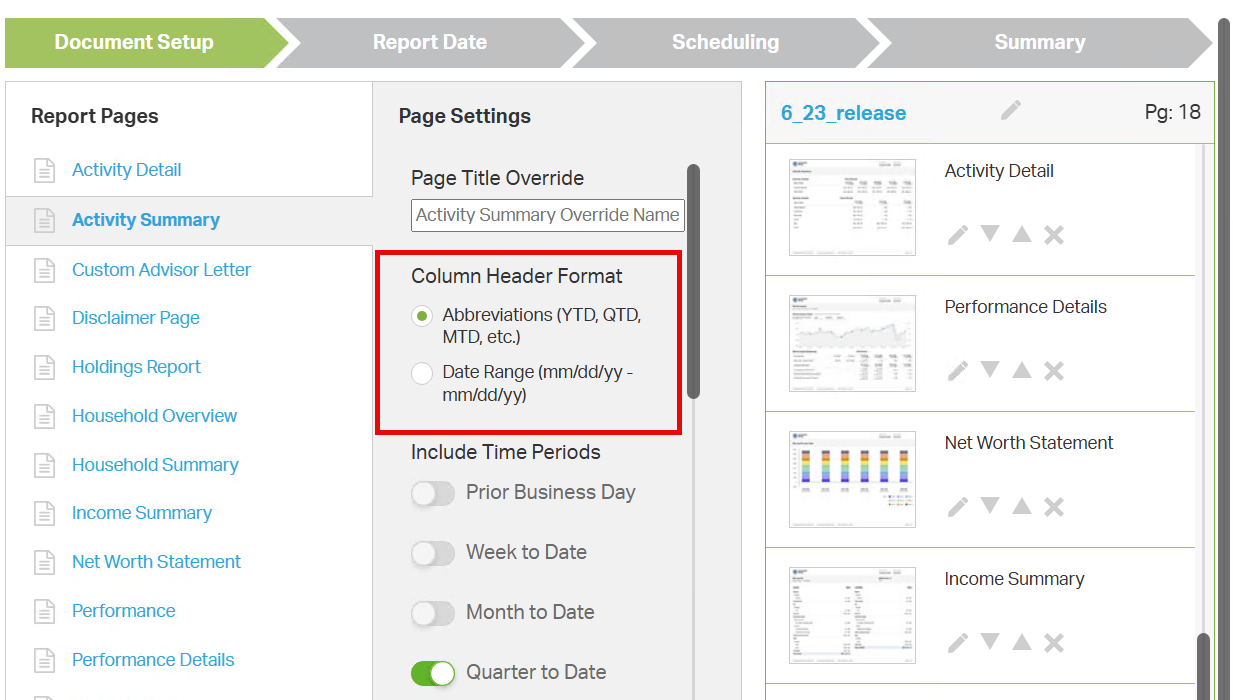
Available on the Activity Summary, Household Summary, and Performance pages for Report Packages, a new toggle has been added that changes column headers from date ranges into common range abbreviations such as YTD, QTD, and ITD.
Existing reports packages will need to be edited to enable this toggle if desired. Newly created packages going forward have the toggle enabled by default. See Creating Report Packages for more details on creating or editing packages.
Toggle Client Notification When Generating Invoices
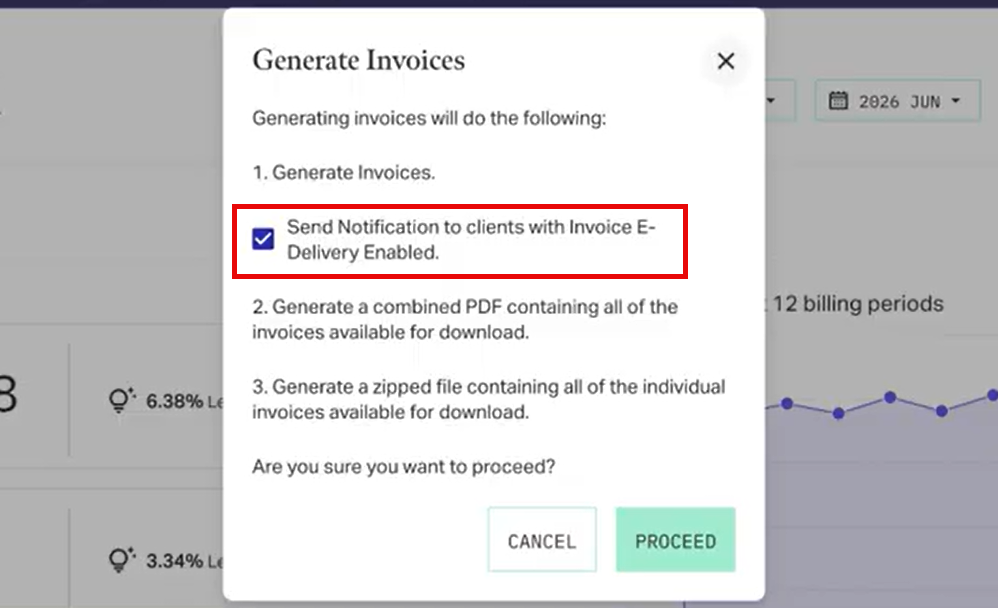
When generating end-of-period invoices, you can now choose whether you want to send your clients notification of the invoice being posted to the Client Portal. Unchecking this box during invoice generation will surpress all client notification for the invoices and allow you to choose when to make your client aware of the invoicing by your own means.
See Generating Fee-Billing Invoices for full details.
Consolidated Household Fee Invoicing and Pay by Check
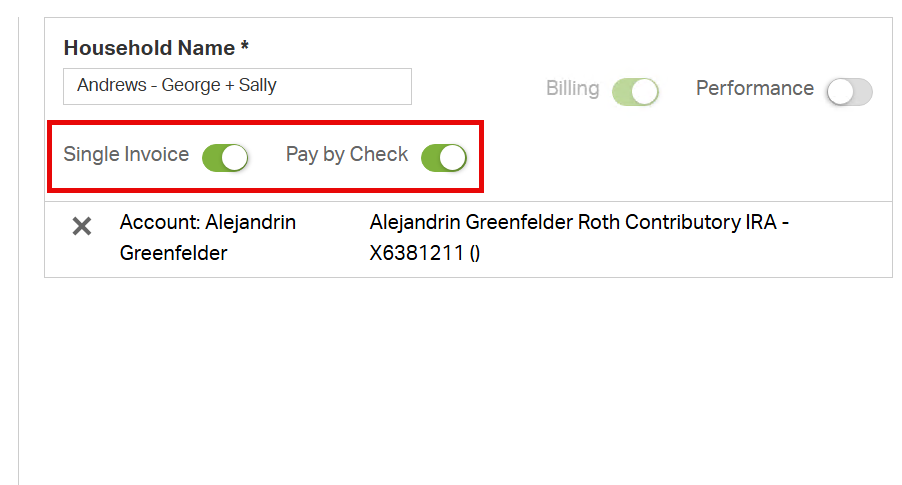
Two new toggle options are available as global firm settings and configurable at the individual household level.
Single Invoice consolidates all individual account statements for a household into a single PDF instead of separate files for easier review by advisor and client alike.
Pay by Check disables automatic account debiting for any households it is applied to. The invoice then directs the client to send a check to a designated address or make other arrangements to remit payment.
To use either of these features, they must first be enabled for your firm by AdvisorEngine Support. Contact AE Support if interested.
Reassign Advisors for Flourish Accounts
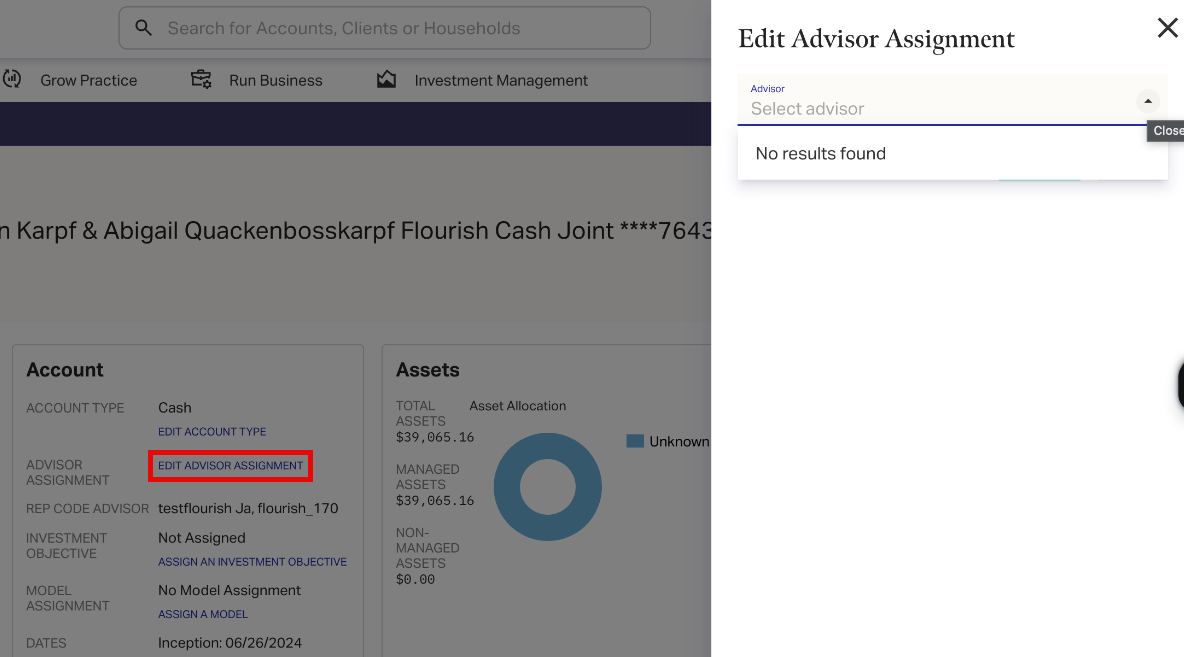
If your firm is set up to use the Flourish accounts import, a new link is available on the summary page for those accounts, allowing you to choose which advisor is assigned to any given account. (Advisors must first have Flourish-specific rep codes created in the system.)
See Assigning Advisors to Flourish Accounts for full details.
Visible Trading Disabled Status for TAMP Accounts
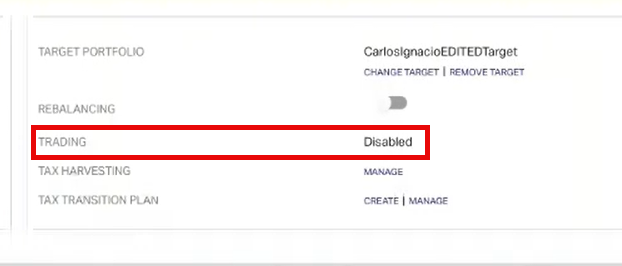
AEPS clients can now see the trading status in the Rebalancing and Cash Management widget on the account profile. If trading has been disabled at the custodian for any reason, this new trading status field makes that visible to the firm within AdvisorEngine.
Full Release Content
Enhancements
- Date column headers on the Activity Summary, Household Summary, and Performance Report Packager pages can now be set to standard abbreviations of YTD, QTD, ITD, etc.
- Choose whether to notify clients or not when generating and posting end-of-period invoices.
- Consolidate all account invoices under a household into a single PDF.
- Allow clients to pay fees by check or other arrangement than direct account debit.
- Flourish-imported accounts can now be assigned advisors individually.
- TAMP accounts now show trading enabled or disabled status in the Rebalancing and Cash Management widget in the account profile.
Fixes
- Resolved a case of duplicated Asset Classes showing in the Performance Details report.