Assigning Advisors to Flourish Accounts
By default, accounts imported through the Flourish integration are assigned a single, firm-wide default rep code. The process below allows a firm admin to assign accounts to the individual advisors to which they belong for better workflow and reporting.
Creating Flourish Advisor Rep Codes
Before a Flourish account can be assigned to an Advisor, the Advisor must have a Flourish-specific rep code created for them in the system. This is a one-time process per advisor.
For each Advisor that will be assigned Flourish accounts, follow the steps at Adding Rep Codes, selecting Flourish as the Custodian during the process. The rep code itself can be any internal identifier for your firm so long as it does not conflict with an existing code.
Do not create more than one Flourish rep code per advisor.
Assigning an Advisor to a Flourish Account
- Using the Universal Search or an Account Dashboard, locate and open the Flourish account to reassign.
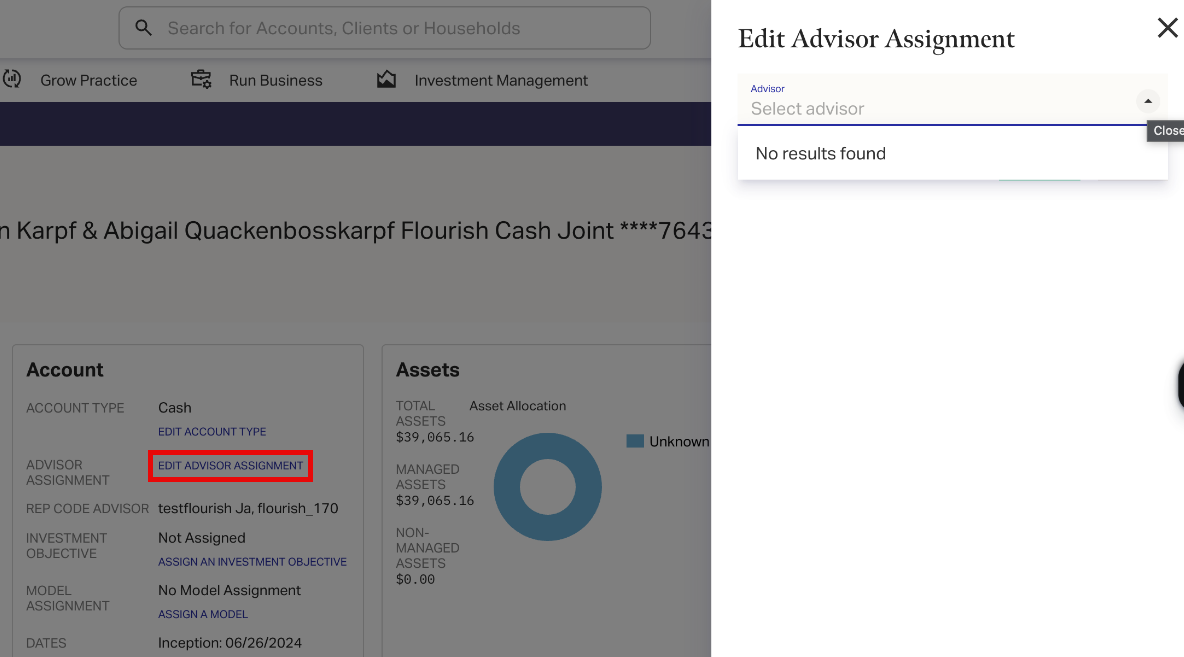
- In the Account box, click the link. Note this link does not appear if the account is not a Flourish-imported account.
- In the side panel that appears, search for and select the Advisor to assign.
- Click to commit your changes.
The advisor is assigned and no further changes are needed.