8/24/2026 Release
What’s New
Redesigned Investments View for Clients
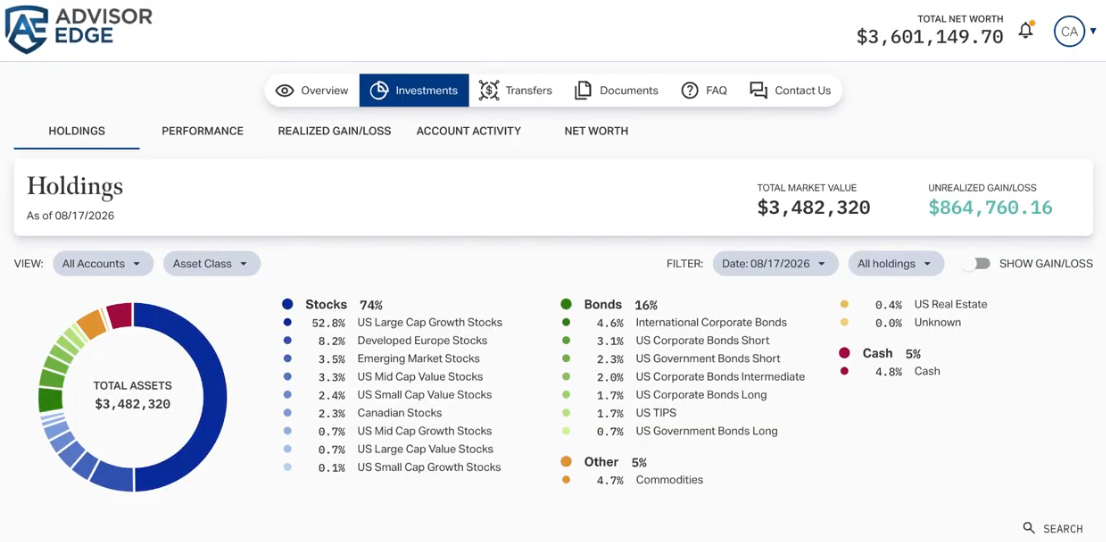
The Investments Tab has been fully redesigned to elevate the experience for end clients. These updates bridge the visual gap between the advisor platform and the client portal, ensuring that clients see the exact same visuals as their advisor.
The underlying data remains unchanged across core reports like Holdings, Performance, and Net Worth, but is now presented in a more digestable fashion. Also included are at-a-glance summary banners and for the mobile view, aligned charts and data tables have been made available.
Enhanced Instrument Search for Building Benchmarks
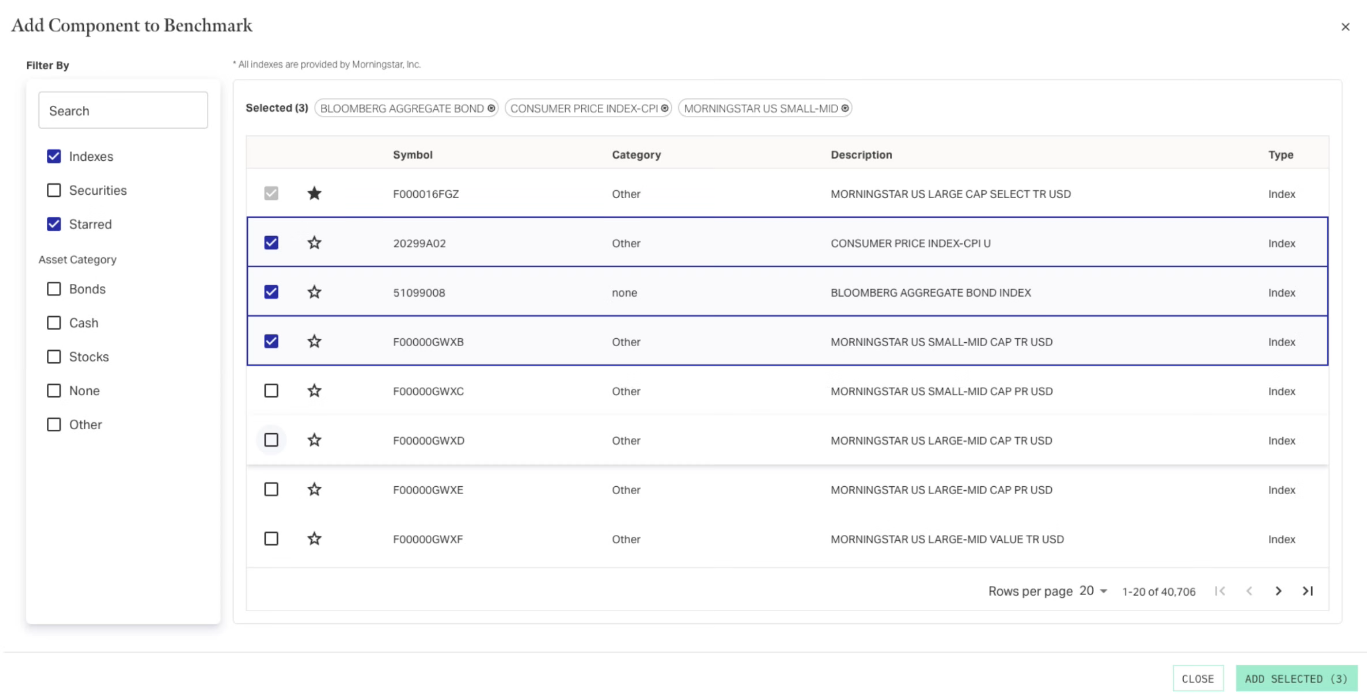
The Custom Benchmark creation experience now features an intuitive search and filtering interface, allowing users to find indexes and securities by ticker, name, or asset category. We’ve also added the ability to add multiple components at once, and “favorite” frequently used items for easy access when creating multiple benchmarks.
See Performance Benchmarks: Setup and Configuration for full details.
Reassign Advisors for Flourish Accounts
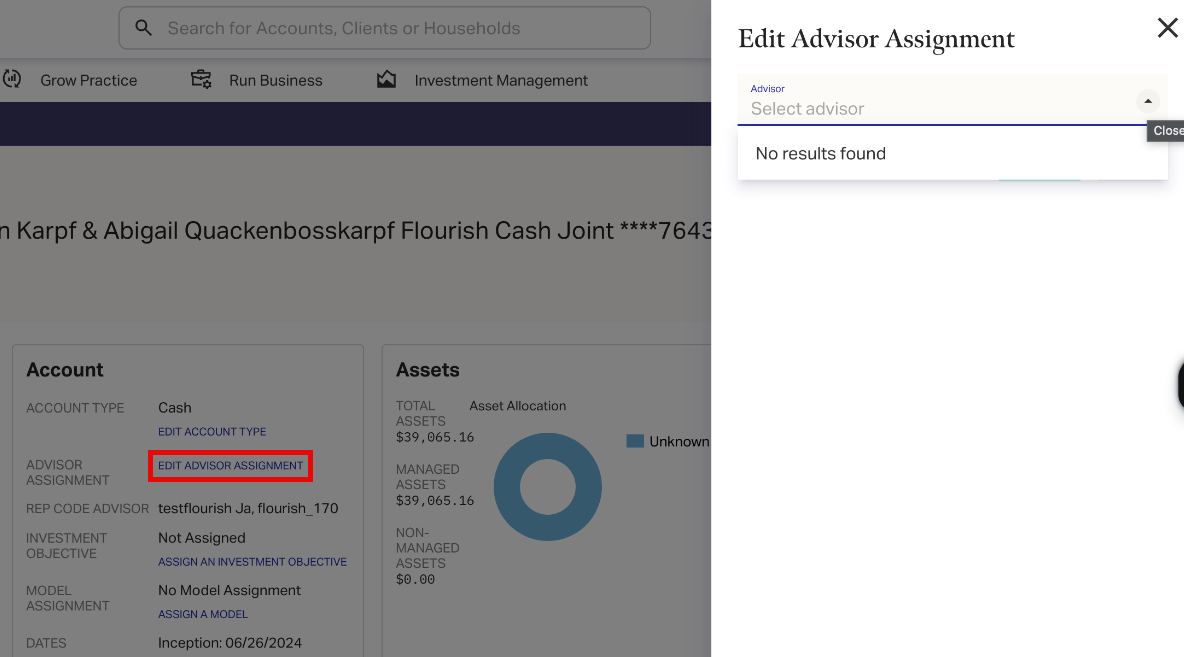
If your firm is set up to use the Flourish accounts import, a new link is available on the summary page for those accounts, allowing you to choose which advisor is assigned to any given account. (Advisors must first have Flourish-specific rep codes created in the system.)
See Assigning Advisors to Flourish Accounts for full details.
Full Release Content
Enhancements
- The Investments tab of the Client Portal has been given a visual overhaul.
- The custom benchmark creation tool has been updated with new visuals and functionality.
- Flourish-imported accounts can now be assigned advisors individually.
- Advisor Phone and Email are now displayed on the cover page of Report Packages when available.
Fixes
- Removed the option to run client-level report packages from the Client profile when client-level performance has been disabled on the firm profile.
- Total Market Value and Managed Market Value now appear correctly on the Holdings Page of Report Packages.
- Updated footnote disclaimer language in Report Packages.