Client Portal Mobile Navigation
When accessed from a mobile device or through the Mobile App, the interface of the Client Portal is compressed and some navigation elements are rearranged to accommodate the smaller screen size. All functionality remains the same as the full Client Portal.
This article describes navigation differences between the interfaces. For full details of all the features of the Client Portal, see Client Portal Navigation and Features.
General Layout Differences
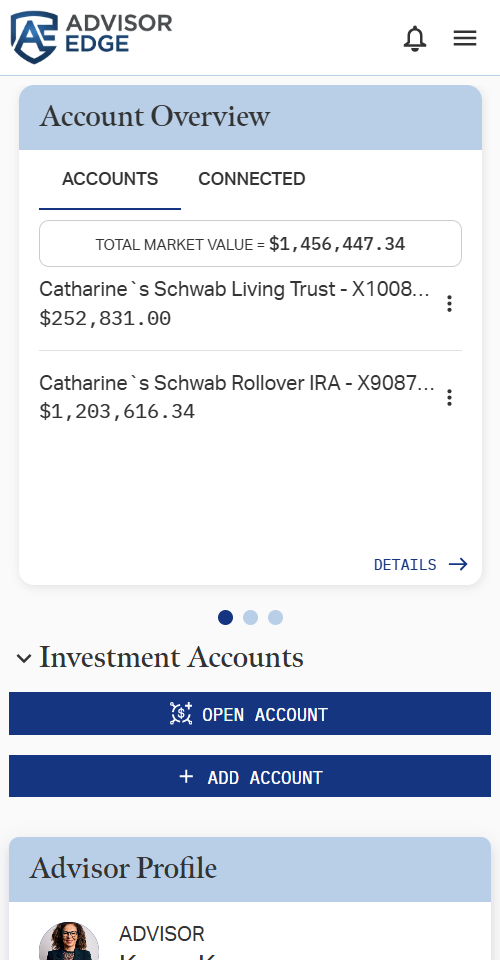
Total Market Value
The Total Market Value that displays on the header bar in the full interface is not visible in the mobile view. Check the Account Overview card or the Net Worth view in the Investments section to find this number.
User Profile/Log Out
User Profile access and the log out button have been merged with the general navigation menu (see below), and are accessed by pressing  in the upper right of the app.
General Navigation
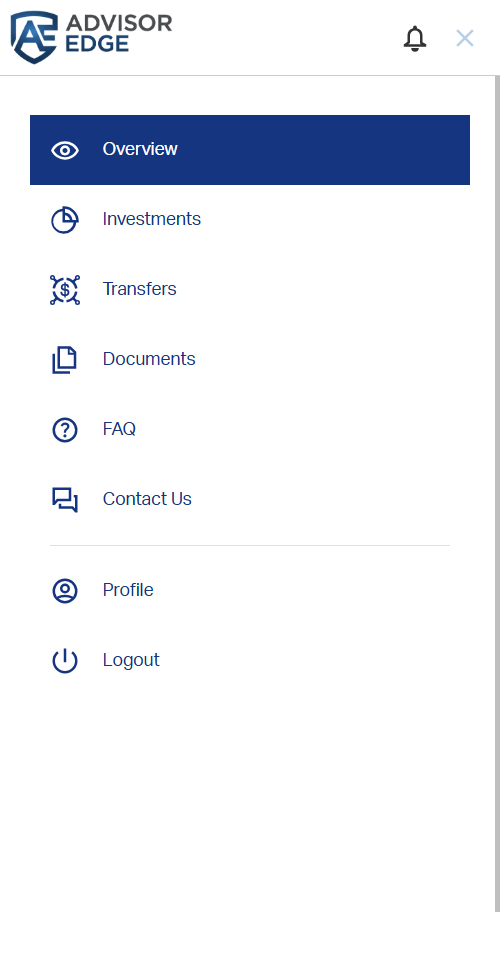
Navigating between the sections of the Client Portal in the full interface is done with a sections ribbon across the top of the interface. In the mobile view, however, this navigation is moved to the menu in the upper right. Tap the icon to view and select the Client Portal section you want to view.
Investments Tab
In the full Client Portal interface, the sections of the Investments Tab are presented as a menu of tabs across the top. In the Mobile interface, switching between these sections is instead done with a Show Page drop-down. Use the drop-down to select the section you wish to view.
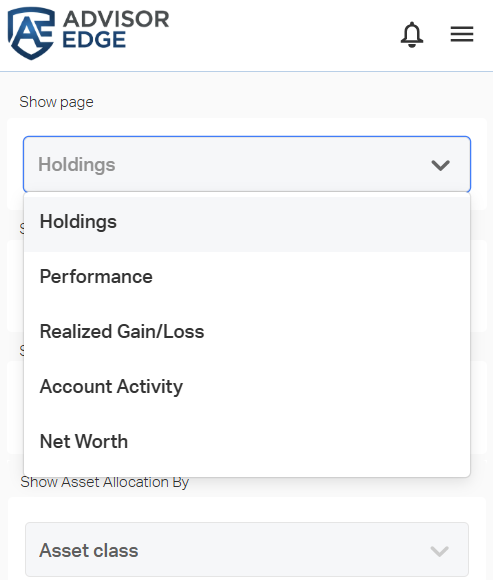
Though rearranged, the options and content available on each page remains the same as the full Client Portal view.
Related Articles
Client Portal Navigation and Features
The AE Client Portal serves as a white-label interface for you to convey relevant information to your clients. It also enables your clients to communicate with you and self serve various tasks. The scope of features available to a client in the ...Client Portal Mobile App Overview
The AdvisorEngine Client Portal Mobile App service allows your firm to present clients with a branded, mobile-friendly version of the Client Portal, available to your clients through the iOS App Store and Google Play Store. The app functions the same ...Setting Client Portal Mobile App Biometric Login
The AdvisorEngine Client Portal Mobile app has support for biometric logins (fingerprint, face recognition, etc.) supported by your device. If the device you are using does not support biometrics or you have not set up any biometrics on the device, ...6/4/2026 Release
Enhancements Reset password emails for Client Portal users now specify the expiration time of the link. MX connected accounts in the Client Portal now have a "Last Updated" date. An alert indicator is visible if the account is more than 7 days stale, ...Benchmarks for Client Portal
Advisors can now expose the same comparative benchmarks they see in their advisor platform to their end-clients through the Client Portal. See Performance Settings in Performance Benchmarks: Administration for details on activating this feature. ...