Model Center Overview
The Investment Management > Model Center tab provides a location for you to browse models available within the platform that can be used to create Target Portfolios.
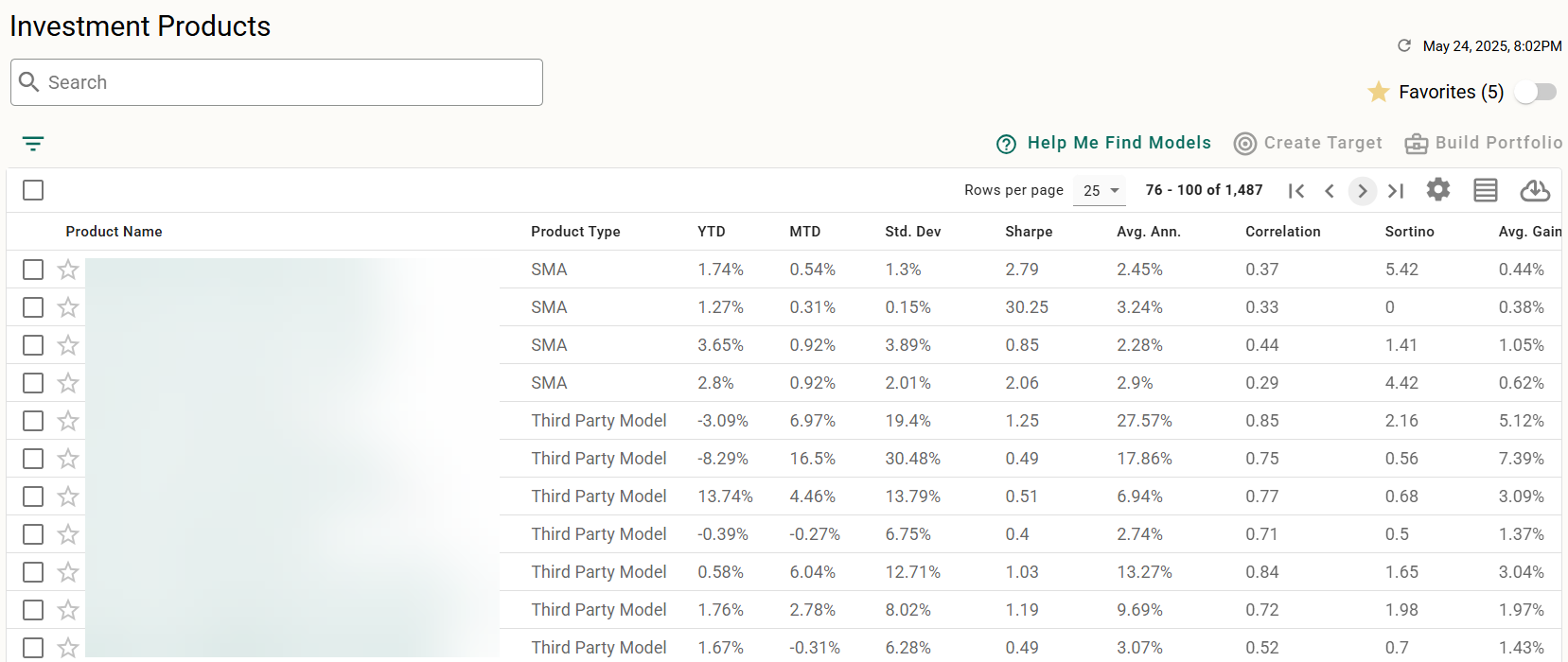
Navigation Controls
In addition to Standard Grid Controls, the following controls available to navigate and locate information about your Target Portfolios:
Search and Filter
The Model Center contains a robust search and filtering engine to help you narrow down what you are looking for. See Model Center Searching and Filtering for full details.
Set and Show Favorites
Any model in the model center can be bookmarked as a favorite by clicking  at the start of the model’s row. To remove a favorite, click
  to toggle back.
Once you have favorites set, you can use the toggle in the upper right to show only those models you have marked as favorite.
Expanded/Compact View
Click  and
and  to toggle the grid between compact and expanded view, controlling the amount of white space in each row.
View Model Details
Click any Model name to view the details page for the model.
Common Tasks
The following tasks can be started from the Model Center tab: