Changing the Inactivity Logoff Time
Firm administrators have the option to designate the amount of inactive time all users are allowed. AdvisorEngine CRM will automatically log off Users after the inactive time has been reached.
Navigate to the Firm Preferences tab of Settings. Click in the upper-right to begin making changes.
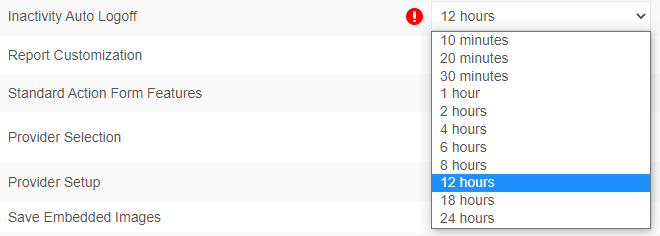
Select your desired timeout from the drop-down. The current maximum is 24 hours.
Note:
Regardless of this setting, there are exceptions:
- For security purposes, AE CRM will automatically log you out if your computer is locked or put to sleep for more than 10 minutes.
- AdvisorEngine CRM must perform a nightly refresh at 3:30am EST. All users are automatically logged off at this point and will need to log in again the next time the CRM is accessed.
Click to enable your changes.