Performing Record Searches

Performing Record Searches

  1. Click in the Record Search bar.
  2. Begin typing any search criteria to locate a Record. Results will dynamically update below the search bar. Record search checks the following fields on a Record using “Contains” logic to find matches:
    • Record Name
    • Person 1 First Name
    • Person 1 Last Name
    • Person 2 First Name
    • Person 2 Last Name
    • All Phone Number entries
    • All Email Address entries
    • Record ID
  3. Click a Record from the results list to open that Record.
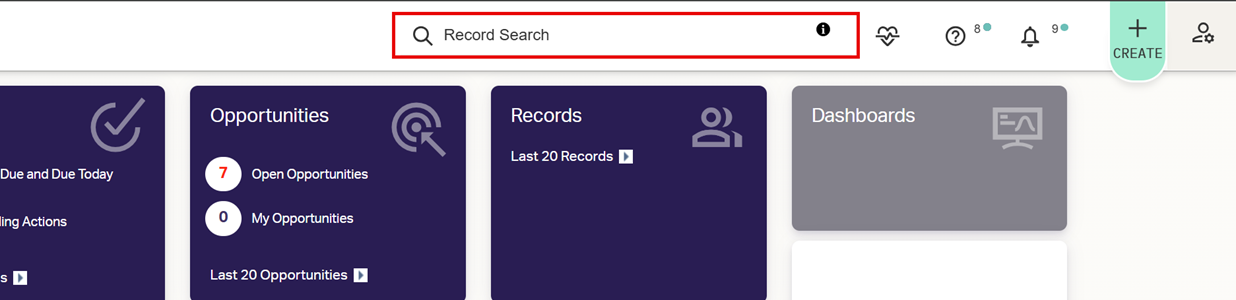
You can narrow your search to only a certain field by typing a prefix before your criteria:

r: Record Name
e: Email addresses
l: Last Name
f: First Name
p: Phone Numbers
ID: Record ID

For example, type r:Smith to find only those Records whose Record Name contains “Smith”.

    • Related Articles

    • Performing Quick Searches

      Quick Searches allow you to easily return a view of Records or Actions based on common search criteria from the Quick Search interface. Quick Searches can only be performed from Record or Action Grids. Click the Search Bar. Click Quick Search from ...
    • Performing Basic Searches

      Basic Searches are available from any AdvisorEngine CRM Grid that features the Search Bar. Navigate to the Grid you want to search. Begin typing your search criteria into the Search Bar. The Grid will automatically update. Basic Searches use ...
    • Creating Advanced Searches

      Advanced Searches are the most powerful and flexible method for returning specific information from your CRM database. They allow you to quickly see exactly what you’re looking for and also form the foundation of reports created in the Report ...
    • Searching Overview

      Any Grid in AdvisorEngine CRM with a Search Bar in the upper right corner may be searched to refine the view of data. Different search options are available depending on the Grid you begin searching from. Record Search Differing from the other types ...
    • New User Module 2-1: Records

      Understanding Records and the Record/Person Structure Learn the fundamentals of how Records function in AE CRM. Records Overview Creating Records Learn how to create new Records and what should go into them. Adding a New Record Important Record ...