Performing Basic Searches
Basic Searches are available from any AdvisorEngine CRM Grid that features the Search Bar.
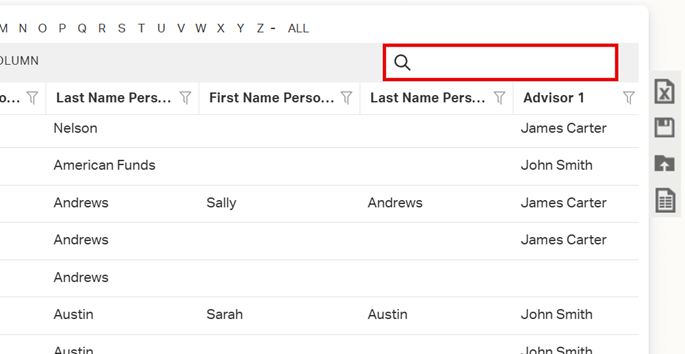
- Navigate to the Grid you want to search.
- Begin typing your search criteria into the Search Bar. The Grid will automatically update.
Basic Searches use “Contains” search logic and check specific fields based on the type of Grid you are searching. For extended text fields, only the first 500 characters of the field is searched.
The search criteria checked for common grid types are listed below.
Records
- Record Name
- First Name Person 1
- Last Name Person 1
- First Name Person 2
- Last Name Person 2
Actions
- Subject
- Note
- Action Tags
- Record Name
- First Name Person 1
- Last Name Person 1
- First Name Person 2
- Last Name Person 2
Assets
- Asset Name
- Record Name
- First Name Person 1
- Last Name Person 1
- First Name Person 2
- Last Name Person 2
Insurance
- Record Name
- First Name Person 1
- Last Name Person 1
- First Name Person 2
- Last Name Person 2
Opportunities
- Opportunity Name
- Record Name
- First Name Person 1
- Last Name Person 1
- First Name Person 2
- Last Name Person 2
Documents
- Filename
- Description
- Tags